words > edit word list > color [hex] column … I changed some of the colours before I knew better. Then I learned how to go and just make my own “theme” of colours and background … so I came back and wanted to delete the colour I had originally written for just that one word. It won’t let me. It will just put another colour (#212529) automatically. I want to reset it back to NOTHING … I’ve tried writing “auto” or empty spaces or anything else but it won’t let me change it back to default!! HELP! (If it were just one word I would delete it and start over - but there are many that I have to do this to and there just HAS to be a way!!
Thx for letting us know. Seems like removal of color code is not possible. We will check.
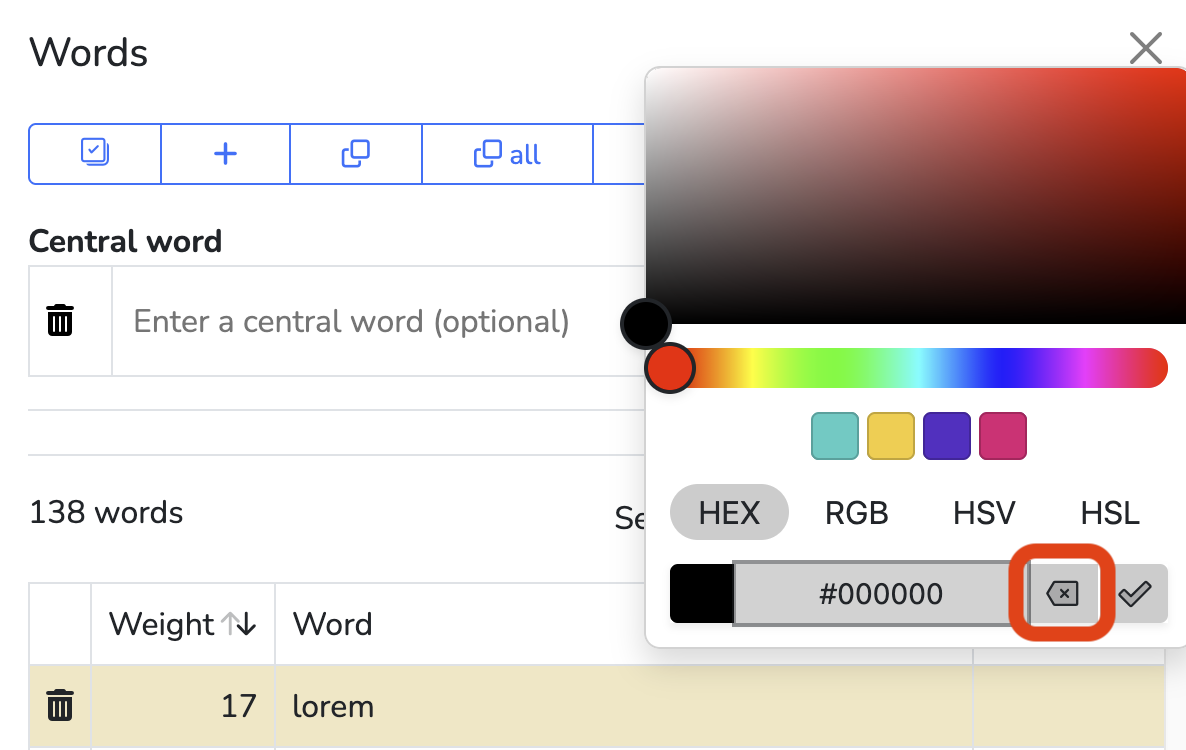
Whoops… the “clear color” button went into the abyss somehow. It’s back though!
Thanks for reporting.
AWESOME! Thanks so much. I just discovered wordclouds yesterday  …. now, my problem is that I clicked save to save my word cloud as a .png … I went to check in my downloads and got a big black rectangle instead. When I returned to my word cloud, it was completely blank … all my work is lost!
  I don’t suppose there’s any magical way to get it back…? I wrote in the word list myself (not an uploaded document) so a fair bit of work went into the thought and decision-making …
No sorry.
You can save your work via → File → Save (.wcld). It saves your work in a file on your device that you can open later.
Yeah, I did “save as image” because I wanted an image to use later, and it did save the file, but it ended up being a black rectangle - and then even if I hadn’t closed anything, everything had just disappeared